Red Dead Revolver Rom
Published

- Console
- PS2
- Size
- 1.92 GiB
- Format
- .iso
- Region
- Europe
- Released
- 2004
- Publishers
- Rockstar Games
- Developers
- Rockstar San Diego
- Genre
- Action, Shooter
- Perspective
- Third-person
- Gameplay
- Third-person shooting and duels
- Setting
- American Old West
- ESRB Rating
- M
Winning a duel in Red Dead Revolver takes more than pressing fire first. Pull the right stick back to grab the gun, then push forward to draw. The game slows down while you aim; tap R1 to lock in each shot. A yellow marker is a poor shot, dark red means a hit, and bright red marks a critical hit. Press R2 to end slow motion and fire the shots already locked in. Waiting for a better mark helps only if you finish before the other gunfighter.
These are the PlayStation 2 story-duel controls. Story mode uses the right stick to aim across opponents; Showdown uses the left stick to switch targets. If you are setting up a controller in PCSX2, the PCSX2 setup guide covers the initial BIOS and controller configuration. Unzip the linked Red Dead Revolver ROM before selecting its ISO. It is the European PS2 release identified as SLES_524.78, with English, French, German, Spanish and Italian listed in its filename.
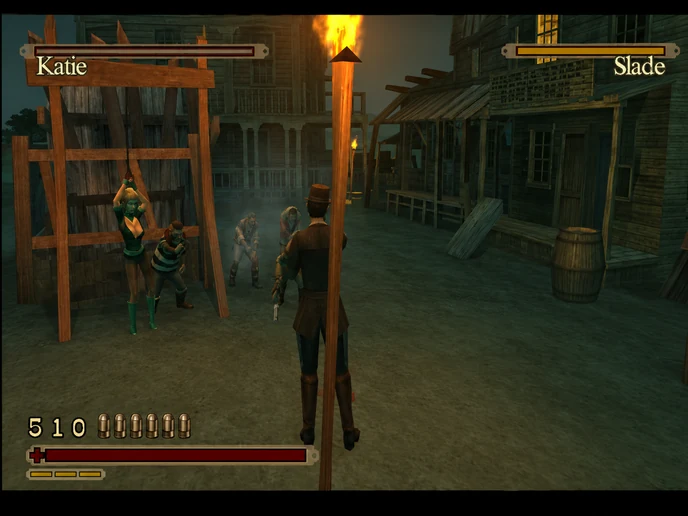
Red Harlow’s revenge story moves through individual stages rather than an open-world map. Town shootouts, encounters on trains and missions played as other characters break up his hunt. Showdown takes the gunfights into local multiplayer, including its own dueling mode.
Keep the bounty chain going
Defeating another outlaw within a few seconds raises the bounty multiplier. Line up the next target before the first one falls if you want to keep that chain going.
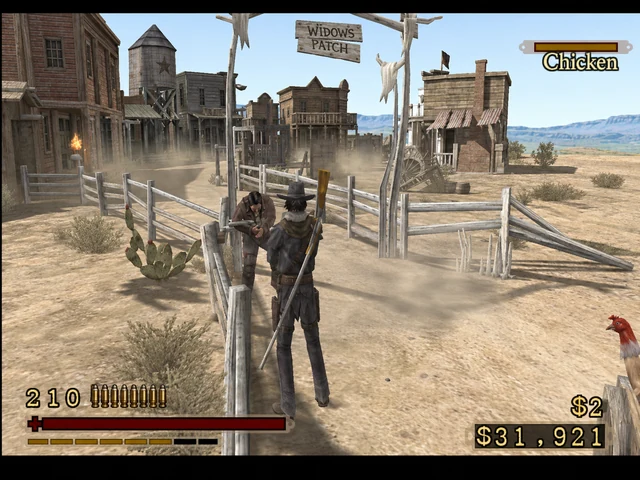
When playing as Red, Dead Eye slows movement and lets you mark several shots. Spare ammunition alone is not enough: the number of locks is limited by the bullets already in the weapon. Reload before the next encounter so the gun can hold the shots you intend to mark.