GBA BIOS .bin File
Published

- Console
- GBA Emulators
- Emulator
- For GBA Emulators
- Size
- 14 KB
- Region
- Global
- Publishers
- romsretro
- Developers
- GBA
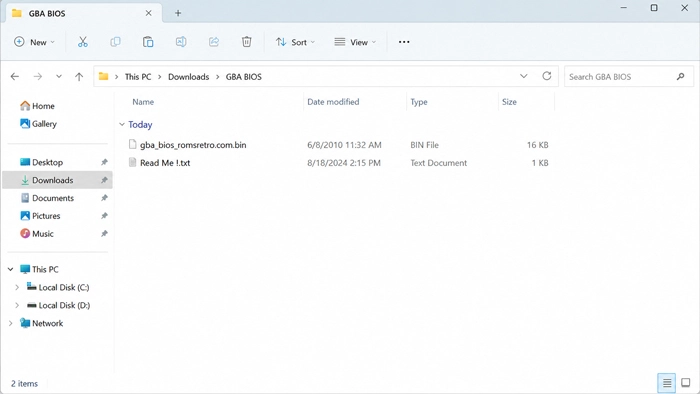
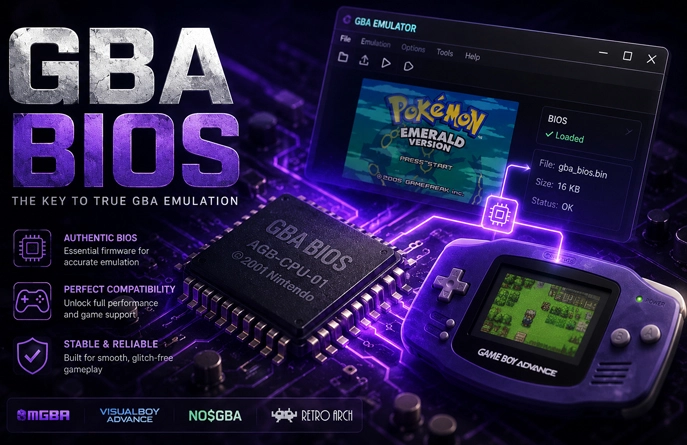
A GBA BIOS file is not tied to one game. It belongs to the system itself. Emulator guides usually refer to the standard image as gba_bios.bin. The GBA BIOS download comes in a ZIP, but the 16 KB BIN inside is the part an emulator reads. It is firmware; .gba Files are the playable ROMs.
One BIOS stays with the system
On original hardware, the BIOS code runs before the cartridge takes control. It prepares the startup process and provides low-level routines that GBA software can call. It does not contain game data. Saves are stored separately, and the BIOS is not an emulator program.
Once configured, the same file can remain in the firmware location while different GBA ROMs are loaded. There is no need to find another BIOS for each game.
The standard image is exactly 16,384 bytes and has the MD5 checksum a860e8c0b6d573d191e4ec7db1b1e4f6. An emulator with a file browser may accept the BIN under a different name. A core that scans a fixed system folder may look specifically for gba_bios.bin. If the emulator still says the BIOS is missing, do not replace the file straight away. Check what it is called and which folder you put it in.
An emulator may not ask for it
mGBA and some RetroArch cores contain replacement BIOS routines, allowing them to start games without an external file. Other builds, including some gpSP and TempGBA releases, expect the firmware to be present. The emulator decides, not the game. The same ROM may open in one core and stop with a missing BIOS warning in another.
The BIOS is not a performance patch and will not increase the frame rate. If the game boots but the audio crackles or the graphics look wrong, do not blame the BIOS first. Try another core, review the emulator settings, and check the ROM.
Configure the BIN once
Extract the ZIP before using the BIOS. An emulator with a BIOS or firmware field can be pointed directly to the BIN. When a program relies on a system directory instead, copy the file there under the name it expects.
RetroArch shows its active firmware folder under Settings > Directory > System/BIOS. The selected core may also have an option that controls whether an external BIOS is used.
After the emulator accepts the file, leave it in that location. Open .gba games from the normal ROM browser. The BIOS does not need to be selected again each time you switch to another title.