PS1 Bios (PSX) – SCPH1001.bin
Published
- Console
- PSX (PS1) Emulators
- Size
- 943 KB
- Format
- bin
- Region
- USA/Japan/EU/Canada
SCPH1001.bin is the file many users mean when they search for a PSX BIOS for an emulator. It is a .bin firmware image from the original US PlayStation, read during startup before a game takes control. The download keeps all four PS1 BIOS files in one ZIP: SCPH1001.bin, scph5500.bin, scph5501.bin, and scph5502.bin.
An alert that asks for SCPH1001.bin is not a general request for any US BIOS. The ePSXe FAQ includes SCPH-1001 among its recommended choices, and PCSX ReARMed checks for scph1001.bin in its firmware search. Substituting scph5501.bin may leave the same warning on screen.
A PS1 BIOS gives the emulator the original console code for the startup process. It does not increase rendering resolution or repair every black screen. A damaged or incomplete game image can still refuse to open after the firmware has been recognized.
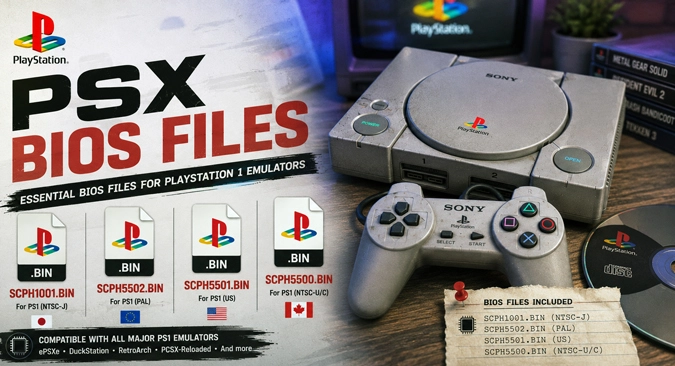
SCPH1001.bin and the regional PSX BIOS files
The ZIP contains two US BIOS revisions rather than four copies of one image. SCPH1001.bin is the earlier US/NTSC-U option. The other US file is scph5501.bin. Beetle PSX HW lists that filename for US games, while scph5500.bin is assigned to Japanese/NTSC-J releases and scph5502.bin to European/PAL releases.
Beetle PSX HW documents those three lowercase SCPH5500-series names. Put them together in RetroArch’s configured system directory, and the core can use the regional firmware it needs. Do not merge them or rename a Japanese or European BIOS as a US file to remove an error message. SCPH1001.bin remains a separate choice for ePSXe, PCSX ReARMed, and other setups that recognize that revision.
The missing PSX BIOS message after extraction
Start by extracting the ZIP. Selecting the compressed archive from a game browser does not configure the BIOS. DuckStation, ePSXe, and similar standalone emulators normally provide a firmware import or BIOS directory option; choose the extracted file or the folder that holds it.
RetroArch reads firmware from its active System/BIOS directory. The location can be checked under Settings > Directory > System/BIOS. A folder named “bios” is not enough by itself. RetroArch must actually be pointing to it.
Filename case can stop detection. The PCSX ReARMed documentation lists scph1001.bin in lowercase, and some operating systems treat SCPH1001.bin as a different name. When the core still reports the BIOS as missing, match the spelling shown in its firmware list and leave the .bin extension intact.
The name alone cannot show whether the data is complete. RetroArch publishes an expected MD5 hash for each supported PlayStation BIOS. Compare the file against that value when a core calls it invalid. Renaming a damaged image will not make it usable.
PS1 game dumps introduce a second kind of .bin file: the disc track. It belongs with its matching .cue and should be opened through that cue sheet. SCPH1001.bin is firmware and belongs in the BIOS location. Put it in the game folder, and the emulator may continue to report the PSX BIOS as missing.
PCSX ReARMed can fall back to an internal HLE BIOS when it does not find external firmware. A game reaching its title screen, therefore, does not always prove that SCPH1001.bin was detected. Once the core confirms the BIOS is present, check the game’s .cue text and track filename before replacing the firmware again.