Download Citra: Nintendo 3DS Emulator
Published

- Console
- 3DS Emulators
- Size
- 30 - 50 MB
- Released
- April 24, 2014
- Publishers
- Citra
- Developers
- Citra team
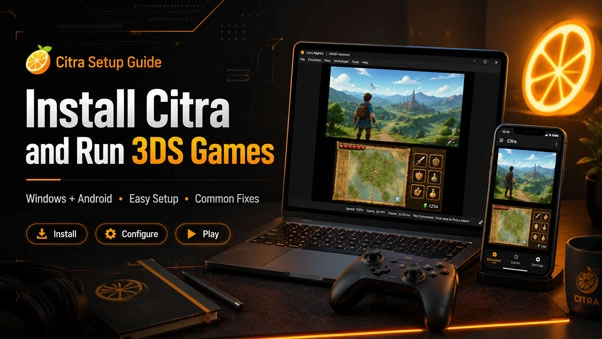
Citra is a Nintendo 3DS emulator for Windows, Android, macOS, and Linux. It can run many 3DS titles with higher resolution, custom controls, and different graphics settings depending on the device you are using.
The important detail is that Citra is no longer under active official development. That does not mean the emulator suddenly stopped working, but it does mean the available builds should be treated as archived or community-maintained versions rather than fresh official releases with regular updates behind them.
Some games may run smoothly right away. Some may need small setting changes. A few may behave badly no matter what you do. That is part of 3DS emulation, especially now that the original project is no longer moving forward in the same way.
3DS games for Citra
After installing the emulator, the next thing most users look for is a game that actually works well with it. You can browse our 3DS Roms to find Nintendo 3DS titles listed for this emulator.
Performance can change from game to game. A lightweight title may run cleanly on mid-range hardware, while a larger 3D-heavy game may need stronger specs or a few graphics adjustments before it feels comfortable.
Setup guide
This page is only for the emulator file. For installation steps, first launch, controller setup, graphics options, and loading games, use the full guide here:
Citra installation and setup guide
Notes from testing and use
Citra is not the kind of emulator where every game behaves the same. Resolution settings, shader cache, device power, and even the selected graphics backend can change the experience. When a game runs slowly, lowering the internal resolution is usually the first thing worth trying.
On desktop, a controller often feels better than keyboard controls, especially for games designed around the original 3DS layout. On Android, touch controls are usable, but a Bluetooth controller makes longer sessions much more comfortable.
Before opening any downloaded file, make sure the file type matches the device you are using. APK is for Android, while desktop builds usually come as archives such as ZIP, 7Z, or TAR.GZ. A mismatched file is one of the simplest reasons people think the download is broken.