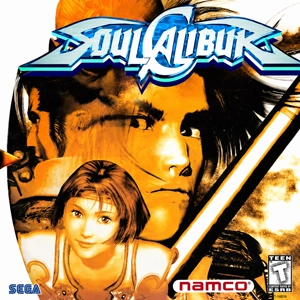
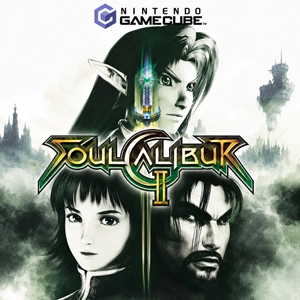
Soulcalibur II Rom
Published
- Console
- GameCube
- Size
- 744.1 MB
- Format
- rvz
- Region
- USA
- Released
- 2003 (GameCube)
- Publishers
- Namco
- Genre
- Fighting
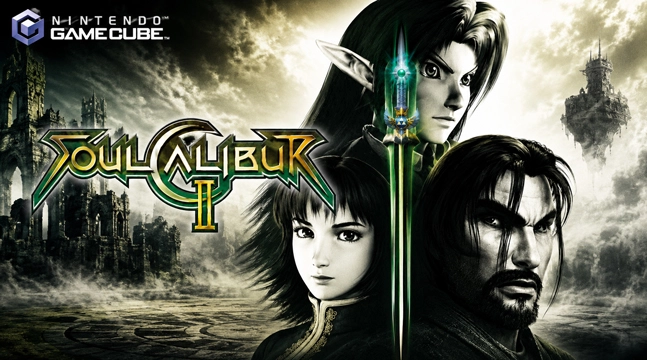
One careless step can settle a Soulcalibur II round before either health bar is empty. The GameCube version of Namco’s 2003 weapon fighter is preserved in the Soulcalibur II GameCube ROM, a USA disc image that the Dolphin emulator can open on Windows, macOS, Linux, or Android. It is also the only console port with Link on the character-select screen.
The Empty Space Behind the Fighter
A ring out ignores whatever advantage the health bars suggest. When an arena leaves an edge open, sending the other fighter beyond it ends the round immediately. An attack does not need to cause heavy damage if it pushes the opponent far enough.
The 8-Way Run makes that boundary a constant concern. Fighters can move around the three-dimensional stage instead of remaining on a fixed line. At the centre, stepping back creates distance. Near an edge, the same retreat removes the little floor still available. The input has not changed. The risk has.
Different arena shapes alter how soon this pressure appears. A larger fighting area gives both sides room to separate and approach again. Less space brings the boundary into the exchange much earlier. There is no warning meter for it; the position of the fighters is the warning.
Versus Mode Without a Lobby
The original GameCube release has no native online multiplayer. VS mode assumes that another person is nearby and a second controller is assigned to GameCube Port 2. There is no account screen or matchmaking queue between selecting the fighters and starting the round.
Link is handled as a regular member of the roster rather than a character kept inside a separate bonus mode. His sword, shield, and Zelda equipment enter the same stages and follow the same ring-out rules as everyone else. This gives the GameCube edition a console-specific matchup without changing the structure of Soulcalibur II.
Solo modes cover shorter sessions as well. Arcade moves directly through CPU battles. Survival continues until the player is defeated, while Time Attack records how quickly its matches are cleared. Team Battle replaces a single character with a lineup, and Practice provides command lists without the pressure of a live round.
Preparing the Disc Image for Dolphin
If the download arrives as a ZIP, RAR, or 7Z archive, extract it before opening Dolphin. The archive is only the package around the game data. Renaming it with an ISO extension will not turn it into a usable disc image.
Dolphin supports GameCube images in formats including ISO, GCM, and RVZ. Open the extracted image or add its folder to Dolphin’s game list. A keyboard or connected gamepad can then be mapped as an emulated GameCube controller. Local two-player matches require separate controls for Ports 1 and 2.
Desktop versions of Dolphin can also carry VS mode across a network through Netplay. Every participant must use the same Dolphin version, and the game copies need matching regions and revisions; identical disc images are recommended to prevent desynchronisation. The session is created from Tools > Start Netplay Session before the game is launched.
Soulcalibur II still sees two local GameCube controller ports. Dolphin simply moves the second player’s input across the network.