Mario Kart Wii Rom
Published
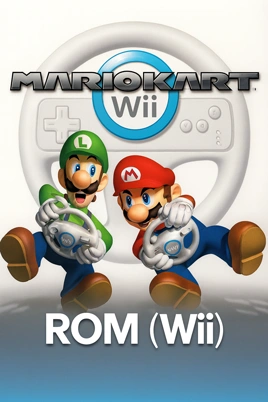
- Console
- Wii
- Size
- 2.6 GB
- Region
- USA
- Released
- April 10, 2008 on Wii
- Publishers
- Nintendo Co., Ltd.
- Developers
- Nintendo EAD
- Genre
- Racing / Driving
- Perspective
- Behind view
- Gameplay
- Arcade
- Setting
- Fantasy
- ESRB Rating
- Everyone
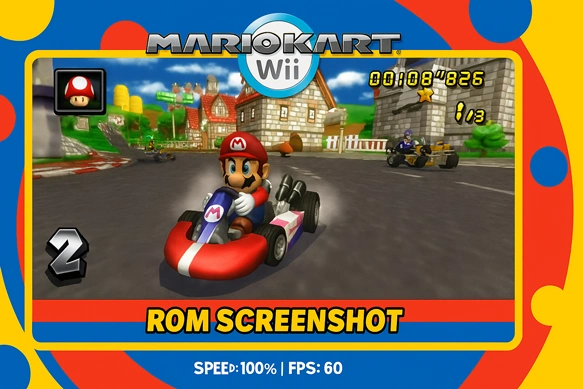
Mario Kart Wii ROM download for Nintendo Wii (WII). Grab the English (USA) build in an emulator-ready image and play on PC or Mac with Dolphin Emulator. The package is about 2.6 GB, optimized for fast setup and smooth, behind-the-view arcade racing. First released on April 10, 2008 by Nintendo (developed by Nintendo EAD), this fantasy-themed racer delivers Grand Prix action for everyone (ESRB: Everyone).
Quick Checklist To Play The Mario Kart Wii Rom
- Dolphin (latest dev build) for Windows, macOS, or Linux
- A mid-range CPU/GPU (quad-core, up-to-date drivers) and 8 GB RAM+
- Your own game backup in a single folder for easy indexing
- A gamepad (XInput/DirectInput). Keyboard works, but analog control = better drifting
Field note: First run is 90% about input tuning. Five minutes on dead zones and triggers is the difference between “okay” and “buttery.”
Five-Minute Setup (Fast Track)
- Install Dolphin and launch once to generate config folders.
- Add your library: Config → Paths → Add the folder with your backup; it will appear in Dolphin’s list.
- Controller mapping:
- Controllers → Wii Remote → Emulate the Wii’s input
- Choose Wii Remote + Nunchuk (common) and map to your gamepad.
- Set Left Stick for steering, Right Trigger for drift, and a convenient button for Trick (stunts).
- Graphics essentials:
- Internal Resolution: start at 2× (1080p-ish), raise to 3× if stable.
- Anisotropic Filtering: 8×–16× for sharper track textures.
- V-Sync: enable only if you see tearing; disable if input feels laggy.
- Keep Dual Core/JIT on (default) for speed.
- Boot and test a Time Trial. If FPS dips, lower Internal Resolution first.
Q1: Do I need extra plugins for bikes, stunts, or ghosts?
No. Core features work out of the box in current Dolphin builds. Use Time Trials to verify input responsiveness.
Q2: What’s the quickest win for smoother handling?
Lock 60 FPS, then trim left-stick dead zone and fine-tune trigger sensitivity. Most “drift issues” are actually minor input or frame-pacing problems.
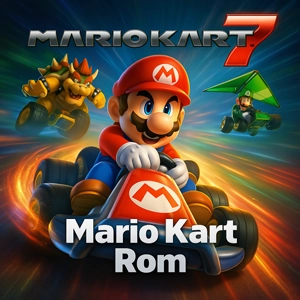
Related: Looking for the handheld entry? Check out Mario Kart 7 ROM.
Controls & Drift
- Dead Zones: Set the left-stick dead zone small (8–12%) so tiny inputs register without wobble.
- Triggers: Calibrate so a light press reliably engages drift; avoid “all-or-nothing.”
- Two profiles:
- Bikes: Tighter dead zone + slightly higher stick sensitivity (wheelies feel snappier).
- Karts: A touch more dead zone for stability in long drifts.
- Motion vs. Stick: Stick steering is the most consistent for Time Trials; add motion later if you prefer the feel.