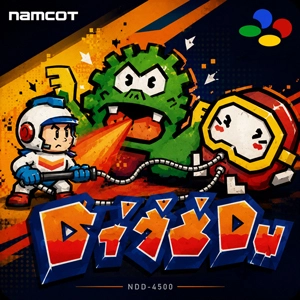
Dig Dug Rom
Published
- Compatible Emulators
- Nestopia
- Console
- NES
- Size
- 15.1 KB
- Format
- nes
- Region
- USA/Europe/Japan
- Released
- 1982
- Publishers
- Namco Limited
- Genre
- Action
Open the Dig Dug NES ROM in an NES emulator and the title screen is only a moment away. The .nes file can be used on an Android phone or a PC, so returning to this old underground action game does not depend on finding the original cartridge. Touch buttons are enough for a few rounds on mobile. On a computer, a keyboard works, though a controller makes the sudden turns and narrow escapes feel much better.
The arcade cabinet is the flashier version. On NES, the characters are smaller, the colors are more limited, and the sound has a thinner edge. None of that matters much once a Fygar sends fire down an open tunnel or a Pooka appears beside Dig Dug through the soil. The console port keeps the screen easy to read and wastes little time before the next round begins.
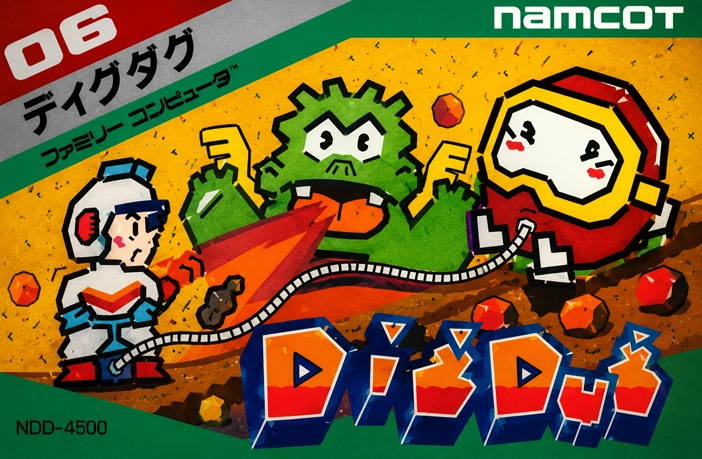
Opening the .nes Game File
An NES emulator normally provides a browser for choosing game files. Find the Dig Dug ROM in storage, select it, and the game should move to its opening screen. There is no setup inside Dig Dug itself, and its controls do not need an elaborate button layout.
Android emulators place the directional pad and action buttons over the display. Dig Dug only needs a small set of inputs, which leaves most of the underground field visible. The first few rounds may feel awkward on glass, especially when turning beside a falling rock, but the controls are simple enough to learn without much trouble.
PC play gives the image more room. A keyboard is perfectly usable, although a gamepad is easier when enemies begin arriving from opposite directions. Screen size and button mapping can be changed through the emulator, while the .nes file stays untouched.
Save states are also available in many emulators. They can stop a round at its current moment and restore it later. That option was not part of the original cartridge routine, but it is handy when a short game unexpectedly turns into a strong scoring run.
Digging the Maze Yourself
Dig Dug begins under a field of solid dirt rather than inside a finished maze. Every step cuts a path, and those paths remain open behind him. The player is creating the stage while trying to survive it.
That is also where the trouble starts. Pookas follow the tunnels, and Fygars can breathe fire through horizontal openings. Both enemies may leave the visible paths and drift through the dirt as ghostly eyes. A route that looked empty a second ago can suddenly have a monster coming through the wall.
The air pump is Dig Dug’s main attack. Catching an enemy with the hose is easy; finishing the job is the risky part. Several presses are needed before the creature bursts, and Dig Dug cannot simply ignore whatever is approaching from behind.
Stopping early leaves the enemy alive, though its inflated body can block danger for a brief moment. That small pause sometimes gives Dig Dug enough room to slip past and reach another tunnel.
Rocks create better scoring chances. Dig beneath one and it falls into the open space below. A well-placed drop can remove several enemies together. Stand in the wrong place and Dig Dug is crushed by his own plan. After two rocks fall, a bonus item appears near the middle of the stage and disappears again if the player waits too long.
A ROM Made for Repeat Runs
Dig Dug does not ask for a long commitment. One round can end in a minute, followed immediately by another attempt. That pace feels right on a phone during a short break, but it also works on PC when the goal shifts from simply surviving to improving the score.
The later stages speed everything up. Tunnels connect, Fygars gain clearer lines for their fire, and the dirt offers fewer quiet areas. One poor turn can undo a good round.
That is the part the NES version still handles well. The screen begins almost empty, then fills with paths, rocks, fire, and enemies using the same routes Dig Dug created for himself. The Dig Dug ROM is easy to start through an emulator, but keeping control of the underground field takes far longer to learn.