Tetris Rom
Published
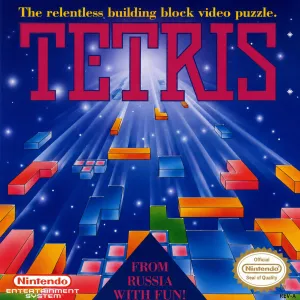
- Console
- NES
- Size
- 25 KB
- Format
- .nes
- Region
- USA
- Released
- November 1989
- Publishers
- Nintendo of America Inc.
- Genre
- Puzzle
Clear ten lines on the NES Tetris ROM and the music speeds up, the blocks fall faster, and there’s a little animation waiting if you hold it together. This is the 25 KB .nes file, USA region, the version most people picture when they think Tetris on Nintendo’s first home console. It’s tiny, it boots instantly, and the well is the same ten-wide, twenty-deep pit you already know. The whole thing fits in less space than a single phone photo, which still feels absurd given how many hours people sink into it.
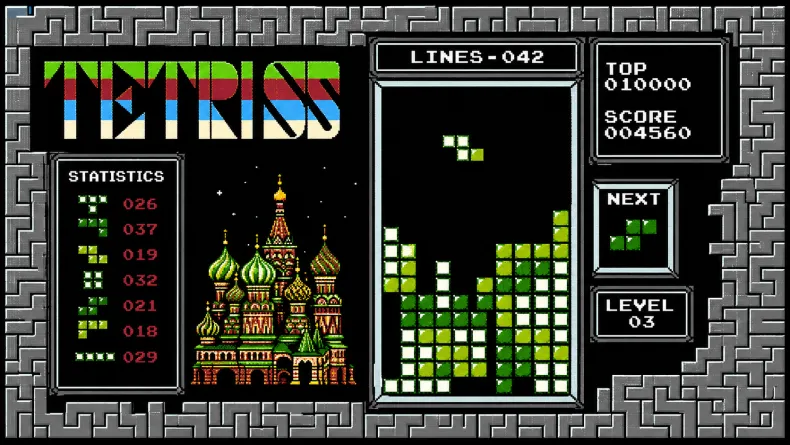
Type A Runs Until You Choke
Type A is the endless one. You pick a starting level, then every ten lines the speed ticks up, and it climbs forever. So the game doesn’t end on its own. You end it by stacking too high and topping out. The smart move is starting at a higher level if the slow early stretch bores you, which is exactly how score-chasers skip the warm-up and jump straight into the part where pieces slam down before you’ve finished thinking.
Type B Hands You a Half-Buried Well
Type B flips it completely. Instead of going forever, you race to clear 25 lines and then you’re out. But here’s the catch. You set a garbage height before the round, so the well opens half-full of junk you have to dig through. Add an adjustable drop speed on top and it becomes a sprint with a handicap you picked yourself. Clear all 25 and one of those cute reward screens pops up. It’s short, it’s nasty if you crank the garbage high, and it’s the mode I keep loading back into.
The Cartridge and the Console Are Two Different Things
Quick clarification, because people mix these up constantly. The ROM is the game data, that 25 KB .nes file and nothing else. The emulator is a separate program that pretends to be NES hardware so the file has something to run on. One is the cartridge, basically, and the other is the console. You need both, and the ROM does nothing on its own. Worth knowing too, the responsible way to get one is dumping it from a cartridge you own rather than grabbing copyrighted files off random sites, which is usually illegal even on a game this old.
Getting It Running in FCEUX or RetroArch
For a .nes file you’ve got options, and most run this thing without breaking a sweat. The simple path is standalone. Install FCEUX, open it, and drag the .nes file into the window. That’s it most of the time. If dragging does nothing, hit File then Open and point it at the ROM yourself. Just make sure it isn’t still zipped inside a folder the emulator can’t read, since that trips people up constantly. RetroArch takes a few more steps. Open it, go to Online Updater, then Core Downloader, and grab a NES core like Mesen or FCEUX. Drop your ROM somewhere easy to find, choose Load Content from the main menu, pick the file, and select the core when it asks. One last thing, plug in a controller if you can. Piece movement gets twitchy at high levels and your arrow keys will let you down.
Three Songs and a Reason to Mute Them
You get three background tracks, and one of them is the Tetris theme everybody hums without knowing where it came from. Worth saying though, after a long Type A run the loop digs into your skull a little. The win animations are the payoff for clean play, small rewards for not falling apart. None of it’s deep. It’s blocks, rows, and a tune that won’t leave, and somehow that’s still plenty thirty-some years on.