Max Payne 2 Rom
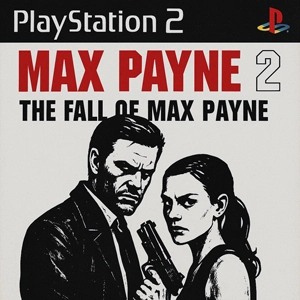
| Console | PS2 |
|---|---|
| Emulator | PS2 Bios |
| Size | 1.19 GB |
| Region | USA |
| Released | 2003 |
| Publishers | Rockstar Games, Inc. |
| Genre | Action |
| ESRB Rating | Mature |
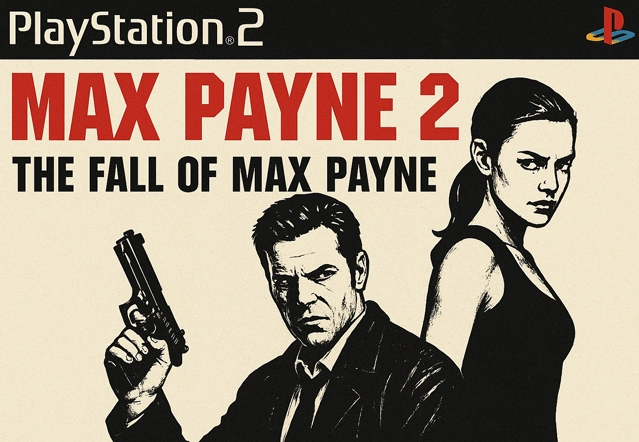
Max Payne 2: The Fall of Max Payne on PlayStation 2 is a story-first action game built around cold streets, bad decisions, and that familiar inner monologue that never really lets Max rest. If you’re using the PS2 release as an ISO image (NTSC-U / USA), the flow is simple: extract the archive, load the .iso in your PlayStation 2 emulator, and start the campaign with a controller.
Back to a damaged New York
A couple of years after the first game, Max is still standing, but he’s not healed. He’s back with the NYPD, trying to keep his head down and do the job, until a sequence of sharp, ruthless hits drags him into a case that refuses to stay small. The trail pulls him toward a professional crew of killers and the same kind of shadows that destroyed his life before. Mona Sax appears again at the worst possible time, and the deeper Max goes, the more it feels like the past has been waiting for him to return.
Noir presentation with comic-panel pacing
The PS2 release leans hard into noir. Story beats land through illustrated panels that feel like pages from a gritty graphic novel: heavy contrast, harsh light, winter air, and narration that sounds tired in a very specific way. Then you’re back in control, moving through cramped rooms, unfinished buildings, narrow hallways, and late-night streets where every corner looks like it could hide a mistake. It doesn’t chase a “big blockbuster” vibe. It plays like a tight crime series with chapters that keep the momentum moving.
Gunfights that stay stylish
Max Payne 2 is still built around slow-motion combat, but it feels quicker and more fluid than the first game. Diving into danger is part of the rhythm: you step out, commit to a move, and try to end the exchange before the room turns into a problem. Pistols and shotguns do most of the work, heavier weapons handle tougher encounters, and explosives give you a way out when enemies hold strong positions. A few sections change the pace with partner moments and short switches in perspective, which helps the campaign avoid feeling like one long hallway shootout.
Physics, impact, and that PS2 edge
A big part of the game’s identity is how hits feel. Enemies don’t just drop; they stumble, tumble, and react to the environment in a way that makes fights look messy and real. Objects slide, topple, and break, and small details in interiors add weight to the action. The PS2 version has its own texture too: a slightly grainy look, strong shadows, and that early-2000s style that many players still associate with playing on a CRT and saving progress on a memory card.
Difficulty flow and replay value
Your first run is meant to be playable without turning it into a survival test. If you struggle for a while, the game becomes a bit more forgiving; if you’re cruising, it keeps the pressure higher. After finishing the story, extra difficulty options open up for players who want a tougher, stricter run. There are also additional modes that push a faster style of play, including a timed challenge that rewards clean stage clears and an arena-style mode where you last as long as you can.
File notes and emulator basics
This Max Payne 2 PS2 ISO is based on the USA disc release. After extraction, you’ll see a single .iso image. Add that file to your PS2 emulator and configure your controller once, then you’re mostly set.
- Region: NTSC-U (USA)
- Format: ISO
- Typical setup: Extract archive → load the .iso → map controller
- PC users: PCSX2 is commonly used for resolution and widescreen options
- Android users: PS2 emulator app + Bluetooth controller for short sessions
If your setup is already stable, start with conservative graphics settings first, confirm smooth gameplay, then raise visuals step by step.
A campaign that respects your time
Max Payne 2 doesn’t ask for grinding or endless side tasks. It’s chapter-based, story-driven, and built for focused sessions that still feel rewarding. If you’re putting together a PS2 lineup of narrative shooters, this one fits naturally: sharp pacing, strong atmosphere, and action that still looks stylish when you pull off a clean slow-motion room clear.
Practical notes that help most setups
Region and format details
After extraction, you should end up with one .iso file. If you see multiple parts or a different extension, re-check the extraction step and confirm the archive finished correctly.
Controller feel and input setup
Set up your controller once inside the emulator and keep the layout close to a standard PS2 pad. If turning or aiming feels weird, tweak the stick deadzone a little and turn off any extra touch overlays you’re not actually using.
Get it running steady, then push the visuals
Start with default settings and make sure the game holds full speed during real gameplay. After that, raise the internal resolution one step at a time. If you notice hitching or sudden drops, go back to the last setting that felt steady and keep it there.
Common causes of boot problems
Most boot issues come from a missing or incorrect BIOS, a corrupted extraction, or emulator settings pushed too far too early. Start simple, verify the file, and adjust only after the game reaches gameplay reliably.