Dragon Ball Z: Extreme Butoden Rom
| Console | 3DS |
|---|---|
| Emulator | 3DS Emulator: Citra |
| Size | 212 - 360 MB |
| Region | EU |
| Released | October 20, 2015 |
| Publishers | Namco Bandai Games America Inc. |
| Genre | Action |
| ESRB Rating | Teen |
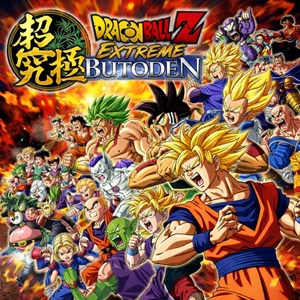
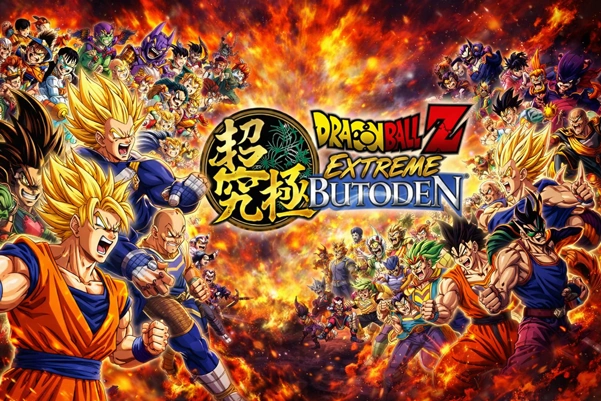
Extreme Butoden is the kind of handheld fighter that wastes zero time: two characters on a 2D plane, big DBZ moves, quick rounds, and an assist button that turns “my turn / your turn” into a messy little mind game. This page exists for one reason: getting the EU (212 MB) RomsRetro release running clean on Citra (PC or Android) without turning your settings menu into a second job. The focus is on what actually helps — and the fixes people always end up needing after the first black screen or the first stuttery round.
DBZ in 2D, with a surprisingly good rhythm
it’s a 1-on-1, side-view DBZ fighter built for quick, readable matchups—flashy but not chaotic. You pick a main fighter, learn a couple reliable strings, and start caring about spacing the moment someone stops mashing and actually blocks.
The hook is the support/assist layer. Assist choices aren’t just extra animation on top; they change how you poke, how you approach, and how you escape pressure. On original hardware the second screen made assist calls feel “always within reach,” and that design still shows through on emulation once controls are mapped comfortably.
- Arc System Works fingerprints everywhere: straightforward rules, but timing and positioning still pay off.
- Assists create real decisions: baiting support calls (or calling them at the wrong time) becomes a whole mini-game.
- DBZ energy, in 2D: the side-view format sells the clashes better than you’d expect from a portable fighter.3
Citra setup (keep it simple, then get out of your own way)
The goal isn’t “max settings.” The goal is stable speed with fewer hiccups.
Start here:
Internal Resolution: set 2x first
- Smooth at full speed? try 3x
- Dips, crackly audio, uneven feel? drop back to 2x
Hardware Shaders / Shader cache: ON
- This is the difference between “stutter forever” and “stutter a bit early, then calm down.”
Graphics backend: swap it when things look wrong
- Try OpenGL ↔ Vulkan (depends on what your build supports)
A small habit that saves time: once it’s playable, stop flipping graphics options every match. Changing backends/resolution repeatedly can trigger more shader rebuilding and make everything feel worse than it is.
The two problems people hit most (and what fixes them)
1) Early-match hitching (FPS looks fine, but it “catches”)
That’s usually shader compilation—the emulator building effects as they appear.
What helps:
Keep Hardware Shaders enabled
Run a few matches with different characters/stages so caches build naturally
Leave settings alone for a bit so the cache can actually do its job
2) Black screen on launch
This is the “works for other games, why not this?” moment.
Fix order that avoids busywork:
Update to a newer Citra build (older builds are the #1 culprit)
Switch the graphics backend (OpenGL ↔ Vulkan)
Clear shader cache, then try again
No widely documented, game-exclusive hacks turned up for Extreme Butoden—general Citra/Azahar stability steps usually cover it.
Quick Q&A (the stuff people actually ask)
Is this the North America (EU) release?
Yep. The page lists Region: EU with a release date of October 20, 2015.
Why does it hitch even when FPS looks stable?
Shader compilation is the usual reason. Hardware shaders on, minimal mid-session tweaking, a few matches to “warm up” the cache.
Other games boot, but this one goes black—what now?
Backend switch first, shader cache clear second, update to a newer build third. Azahar is a solid backup option when one Citra build refuses to cooperate.