Pokemon FireRed Rom
| Console | GBA |
|---|---|
| Emulator | GBA Emulators |
| Size | 5 MB |
| Format | .gba |
| Region | USA |
| Released | January 29, 2004 |
| Publishers | Pokémon Company |
| Genre | Role-playing (RPG) |
| ESRB Rating | Everyone |
The Pokemon FireRed ROM is basically the game in a format emulators can read, so you can run it on a laptop, phone, or tablet without digging up an actual Game Boy Advance. The version is in English, and it’s light around 5 MB so it downloads fast and doesn’t clutter your storage.
A Return to Kanto, Sharper Than Memory
Pokémon FireRed revisits the original Kanto journey with the warmth and color the Game Boy Advance finally allowed. It still begins in quiet Pallet Town: a new trainer, a first partner from Professor Oak, and a road that keeps unfolding into forests, caves, and badge-lined cities. The long arc stays familiar — earn eight Gym Badges, challenge the Elite Four, fill the Pokédex, and shut down Team Rocket — but the climb feels personal, shaped by the team you raise from fragile catches into battle-ready companions.
Battles, Catching, and Growth
Combat keeps its clean, turn-based cadence: four moves per Pokémon, types pushing and pulling against each other, evolutions landing like milestones. Catching retains that small spike of suspense — weaken, throw, wait for the click — while training becomes quiet team-building: covering weaknesses, rotating members, watching stats and forms change over time.
Rivals, Starters, and What Changed
Blue (Gary) shadows your progress as the benchmark you’re always chasing, with Giovanni and Team Rocket threading conflict through the League quest. Your starter — Bulbasaur, Charmander, or Squirtle — subtly tilts early challenges and team paths. FireRed also expands the original: richer GBA visuals, abilities and newer moves, a larger Pokédex, wireless trading, and the sun-bleached Sevii Islands adding fresh ground beyond Kanto.
Quick emulator tips and suggested settings
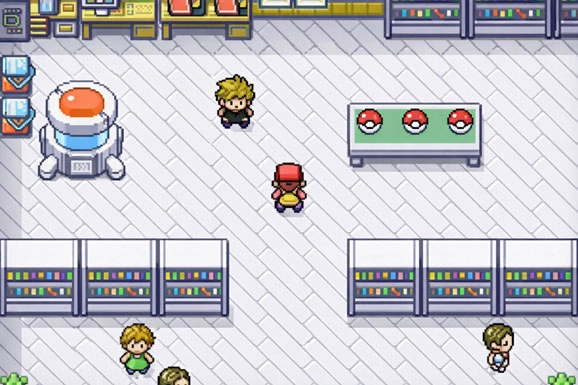
Getting it to boot is simple: install a GBA emulator (mGBA and VisualBoyAdvance are common picks), then load the ROM from inside the emulator like you’d open any other file. A few seconds later you’re staring at that familiar FireRed intro, only now it’s on a crisp modern screen, with save states and quick controls depending on what emulator you’re using. Same Kanto trip, same battles, same “one more encounter” spiral—just minus the AA batteries and the tiny speaker.
| Emulator | Common headache | Recommended workaround |
|---|---|---|
| mGBA (PC) | Trade evolutions get stuck in single-player because the game expects an actual trade. | Go to File → Open Multiplayer Window, run two instances of the game on the same PC,then use the in-game Cable Club / Trade Center to trade between them. To avoid messing up your save, don’t boot both instances from the exact same save file. |
| My Boy! (Android) | Linking on mobile is a bit finicky and you have to juggle two game windows. | Open the menu and choose Local Link, start a second game instance, and quickly switch between the two when the connection screen shows up. Android players usually mention this as the most reliable way to get trades done. |
| VisualBoyAdvance-M (VBA-M) | Frequent “Link error / Communication error” messages, especially when switching windows. | If the link drops when you change windows, enable Allow keyboard background input. Also set the Link Type to Cable, and try not to spam Turbo / Speed-up, since a lot of users report those as common reasons for broken links. |